Feature flagging tools let you control the rollout of new features without redeploying code. They’re essential for modern development, enabling smooth feature releases, A/B testing, and quick rollbacks when needed. Here’s a list of the 7 best feature flagging tools to consider, along with their standout features:
- PostHog: Combines feature flags with analytics like session replay and error tracking. Flexible deployment (cloud, self-hosted, warehouse-native) and supports over 15 SDKs.
- LaunchDarkly: Enterprise-focused with 45 trillion daily flag evaluations, strong governance features, and 25+ SDKs.
- Unleash: Open-source with self-hosting, hybrid, and cloud options. Ideal for teams prioritizing security or compliance.
- Flagsmith: Open-source with flexible deployments (cloud, on-premise, hybrid). Great for infrastructure control and remote configurations.
- GrowthBook: Experimentation-first with advanced analytics and warehouse-native integrations. Lightweight SDKs for client-side and server-side environments.
- Split (by Harness): Strong governance and AI-powered analytics for safe, controlled releases. Supports 50 billion daily flag evaluations.
- Statsig: Focused on large-scale experimentation with advanced statistical tools and warehouse-native options.
Quick Comparison
| Tool | Deployment Options | SDK Support | Key Features | Best For |
|---|---|---|---|---|
| PostHog | Cloud, Self-hosted, SQL | 15+ SDKs | Analytics + feature flags | Data-driven teams |
| LaunchDarkly | Cloud (SaaS) | 25+ SDKs | Governance, fast flag updates | Enterprises needing scalability |
| Unleash | Cloud, Self-hosted, Hybrid | 25+ SDKs | Security, compliance tools | High-security organizations |
| Flagsmith | Cloud, Self-hosted, On-prem | 15+ SDKs | Open-source, remote config | Teams needing control |
| GrowthBook | Cloud, Self-hosted | 10+ SDKs | Advanced experiment analytics | Experiment-heavy teams |
| Split | Cloud (SaaS) | Broad SDK support | AI-powered insights, governance | Safe, large-scale deployments |
| Statsig | Cloud, Hybrid, Warehouse | 30+ SDKs | Advanced experimentation tools | Teams prioritizing experiments |
Each tool serves different needs, whether it’s governance, experimentation, or flexibility. Choose based on your team’s priorities like security, analytics, or deployment options.
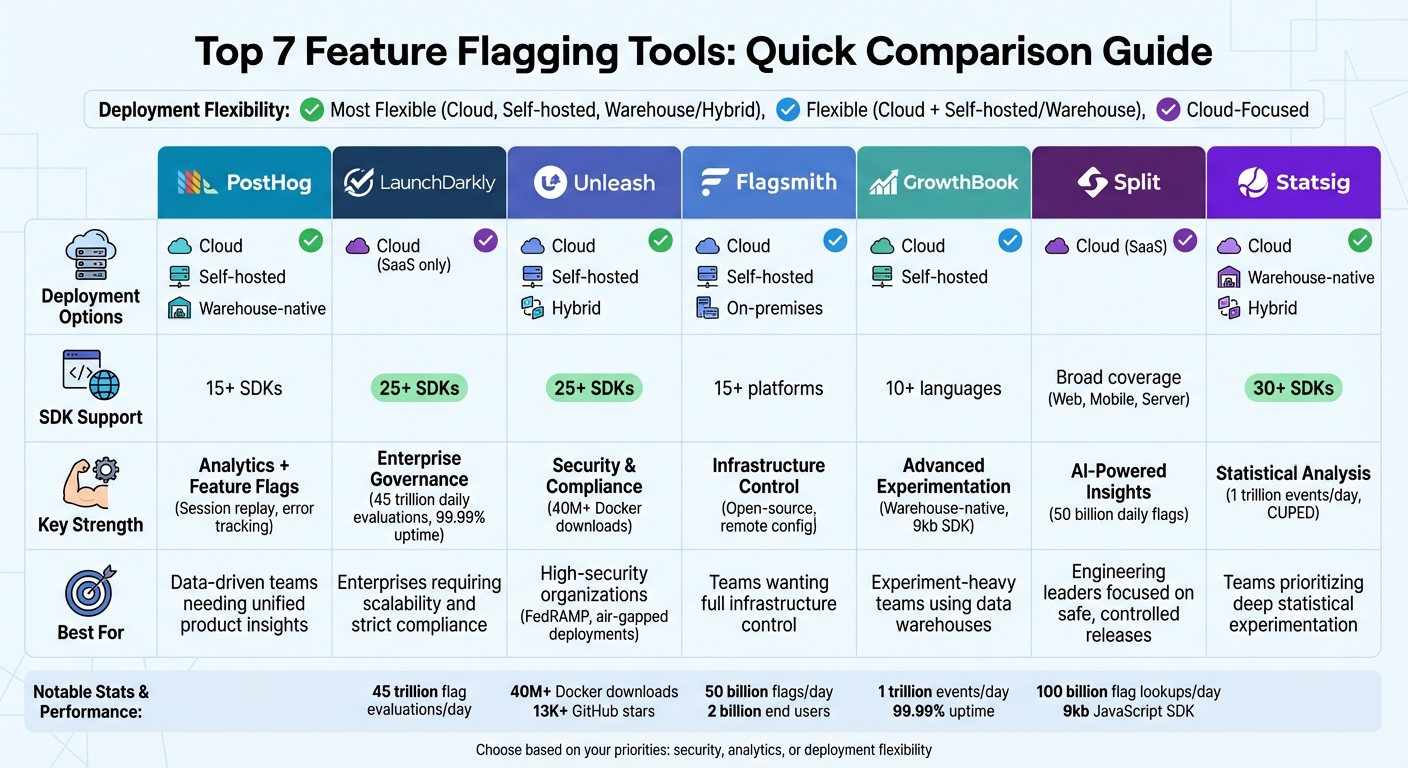
Feature Flagging Tools Comparison: Deployment, SDKs, and Best Use Cases
Feature Flags Explained: Safer Releases, Faster Delivery, Smarter Experiments
sbb-itb-33eb356
1. PostHog
PostHog combines feature flags with powerful analytics tools like session replay, error tracking, and A/B testing to help teams roll out, monitor, and refine features effectively.
Deployment Options (SaaS / Self-Hosted)
PostHog offers three deployment options to suit different team preferences. You can choose Cloud (SaaS) for a hands-off approach, Self-hosted for complete control over your data under an MIT license, or Warehouse-native, which allows you to query flag data alongside your existing product data using SQL. These options make PostHog adaptable to a wide range of needs.
For self-hosting, expect infrastructure costs of around $50–$200 per month on platforms like AWS or GCP, plus the necessary DevOps work for scaling, updates, and backups. The cloud free tier supports up to 1 million events monthly, while the Scale tier starts at $450 per month for up to 5 million events.
Primary Use Cases
PostHog stands out for its flexibility and control. Teams can use "kill switches" to instantly disable features causing issues or implement phased rollouts (e.g., releasing to just 5% of users at first) to reduce risks. It also supports experimentation through built-in A/B and multivariate testing, which tracks statistical significance. Additionally, teams can run beta programs, offer early access to specific user groups, and make configuration changes remotely via JSON - no code redeployment required.
SDK Coverage and Integrations
PostHog provides extensive SDK support, covering over 15 platforms such as Web, React, Node.js, Python, Go, Ruby, PHP, Java, .NET, Android, iOS, Flutter, and Rust. This ensures compatibility across both frontend and backend environments. Features like client-side bootstrapping reduce UI flicker by preloading flag values during page load, while server-side local evaluation handles flag checks internally, cutting down on external network calls.
Analytics and Monitoring Capabilities
PostHog integrates feature flags with advanced analytics tools like Session Replay, allowing teams to review user interactions in detail. Its Error Tracking feature monitors exceptions tied to specific flags, enabling quick rollbacks when problems arise. The platform also includes an Autocapture feature that automatically tracks user actions - such as clicks, page views, and form submissions - so teams can start gathering data right away. Users have rated PostHog highly, with a 9.2 out of 10 for ease of use and 9.5 out of 10 for value, highlighting the platform's seamless integration of feature management and analytics.
2. LaunchDarkly
LaunchDarkly is a cloud-hosted feature flag platform tailored for enterprise needs. With the ability to process over 45 trillion flag evaluations daily and an impressive 99.99% uptime, it’s built for reliability and scale. Its global Flag Delivery Network, equipped with over 100 points of presence, ensures flag updates are delivered to connected clients in under 200 milliseconds anywhere in the world.
Deployment Options (SaaS)
LaunchDarkly is offered exclusively as a SaaS solution, eliminating the need for additional infrastructure, similar to many low code platforms. It features one of the free low code platforms tiers, while its Pro Plan starts at approximately $10 per seat per month. Enterprise-level pricing is based on individual usage needs. The platform also emphasizes strong governance tools to minimize risks during feature rollouts.
Primary Use Cases (Governance and Risk Mitigation)
LaunchDarkly stands out in governance with features like role-based access control (RBAC), comprehensive audit logs, and approval workflows that document every flag change. Its Guarded Releases feature automatically rolls back updates if performance issues arise. For instance, HP reduced deployment time by 98% through the use of instant feature switches. Nathan Gray, Director of Digital Engineering Operations, noted that between 2020 and 2023, his team cut overnight releases by 97% and tripled production deployments. Similarly, Dior improved its time to market, moving from 15-minute updates to instant changes using progressive delivery.
SDK Coverage and Integrations
LaunchDarkly supports over 25 native SDKs and integrates with more than 80 tools, including GitHub, Bitbucket, GitLab, Jira, Slack, Datadog, and Segment. For AI-driven teams, it provides specialized controls to manage prompts, models, and agents at runtime without requiring redeployment. These integrations seamlessly connect with real-time monitoring and debugging tools for streamlined workflows.
Analytics and Monitoring Capabilities
The platform offers real-time tracking of feature health, complete with stack traces and session replays to speed up debugging. Its Live Events Stream provides a detailed, real-time view of application events, helping teams verify flag configurations. Additionally, LaunchDarkly supports in-production A/B testing and experimentation, offering statistical analysis to identify winning variations - all without requiring redeployment.
Adam Kadzban, Principal Engineer at Relativity, praised the platform's Guarded Releases:
"I really love Guarded Releases because it takes the guesswork and a lot of the risk out of those releases. We can measure the rollout as it's happening, and if something goes wrong, it automatically stops."
Nick Herring, Technical Director of Infrastructure at CCP Games, underscored the platform's accessibility:
"LaunchDarkly has enabled self-serve experimentation. You don't have to be a data scientist to run valid, actionable experiments. This is unbelievably powerful."
3. Unleash
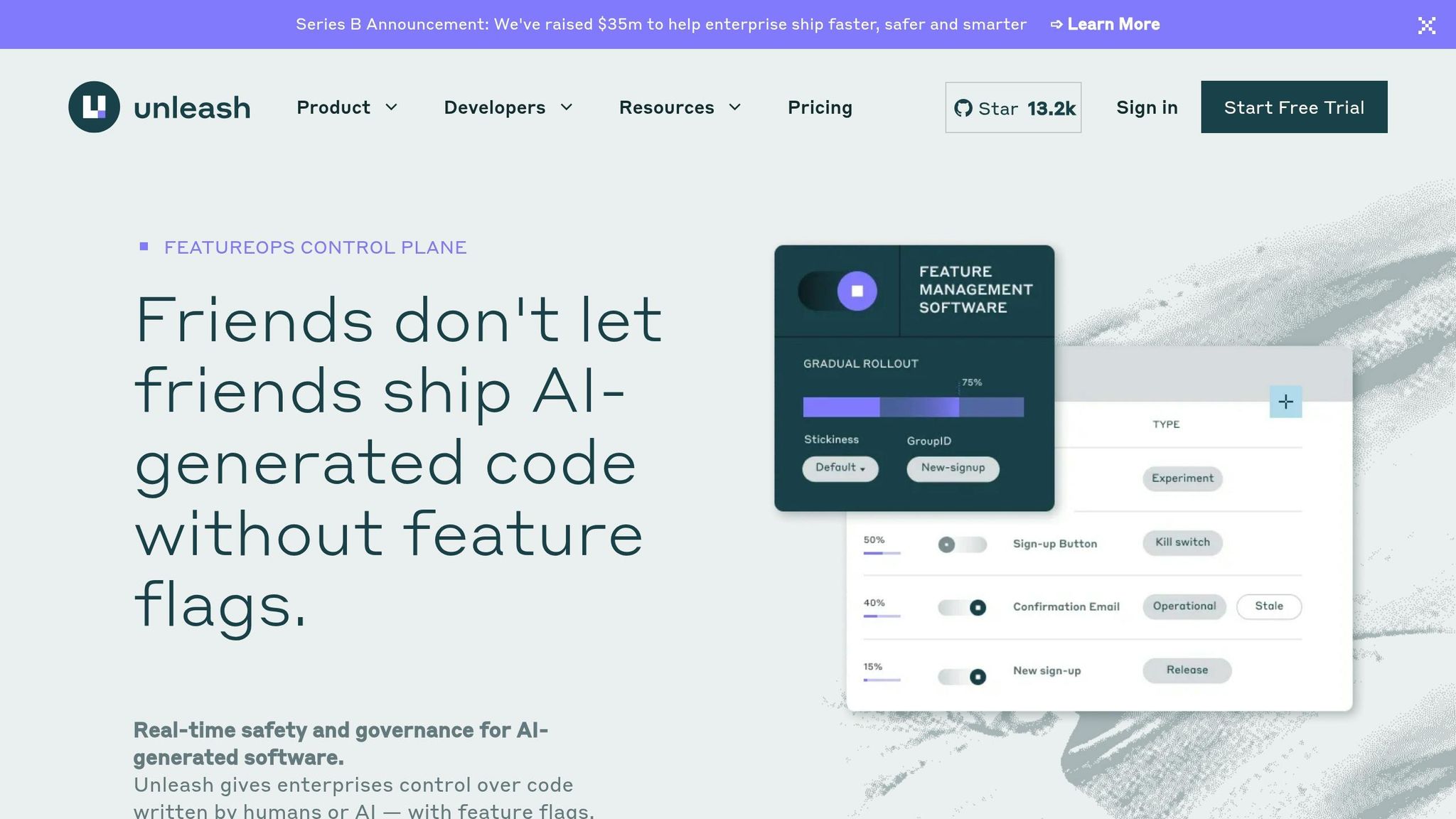
Unleash is an open-source feature flagging platform known for its flexible deployment options and emphasis on data privacy. With over 40 million Docker downloads and 13,000+ GitHub stars, it’s a trusted tool for developers who need complete control over their feature management processes. Serving more than 100,000 monthly active users, Unleash is the only feature management solution recommended by ThoughtWorks. Unlike proprietary low code platforms or cloud-only tools, it offers deployment flexibility to meet various security and compliance needs.
Deployment Options (SaaS/Self-Hosted)
Unleash provides three deployment models: managed cloud, on-premise, and hybrid [21, 22]. The self-hosted option is tailored for high-security setups, supporting air-gapped deployments and meeting FedRAMP requirements [20, 21]. Flag evaluations happen locally via SDK or proxy, ensuring sensitive data stays within internal systems [20, 22]. The platform is free to self-host under the Apache 2.0 license, and its Enterprise plan costs about $75 per seat per month [21, 23]. For reliability, Unleash guarantees a 99.9% SLA for pay-as-you-go users and 99.99% for annual enterprise contracts.
Primary Use Case (Cost Efficiency and Governance)
Unleash is particularly effective in cutting costs while maintaining enterprise-level governance. Wayfair, for instance, reduced its costs to one-third while improving reliability and scalability.
"Unleash ended up being 1/3 the cost of our homegrown feature flag solution, while also improving the reliability and scalability of our platform"
Mark Quigley, Head of Internal Developer Platforms at Wayfair, shared. The platform also strengthens governance through advanced features like RBAC, change requests, audit logs, and SSO integration. A standout example is the Norwegian Labor and Welfare Administration (NAV), which increased its release frequency from four coordinated releases per year in 2016 to over 1,400 releases per week - averaging one release every two minutes. This adaptability supports rapid, secure rollouts in line with modern development practices.
SDK Coverage and Integrations
Unleash supports a broad range of development environments, making it a versatile choice for teams. It offers over 30 SDKs for server-side languages like Go, Java, Python, Node.js, PHP, Ruby, Rust, and .NET, as well as client-side platforms like React, Vue, Android, iOS, and JavaScript [26, 22]. It also adheres to the OpenFeature standard for vendor-neutral integrations [11, 18]. The SDKs are designed to work offline, ensuring functionality even during server outages. For mobile and client-side applications, the Unleash Proxy evaluates flags server-side, keeping full configurations hidden from end-users.
"When people now ask, 'What kind of data do we send to Unleash?', we can simply say 'we don't send any data. The only data that Unleash sees is the configuration'"
explained Misha Karpenko.
Analytics and Monitoring Capabilities
Unleash simplifies performance tracking by automatically measuring flag evaluation metrics, user exposure rates, and feature adoption speeds without additional setup. Metrics can be exported to analytics platforms like Google Analytics, Mixpanel, or Amplitude to link feature usage with business KPIs. It also integrates with tools like Datadog and New Relic for real-time performance monitoring. Detailed audit logs capture who made changes, what was altered, and when, aiding in debugging and compliance [27, 22]. Mercadona Tech, led by Head of Engineering Sergio Revilla Velasco, uses Unleash as its "FeatureOps control plane", enabling over 100 deployments to production daily while avoiding risky "big-bang" releases.
4. Flagsmith
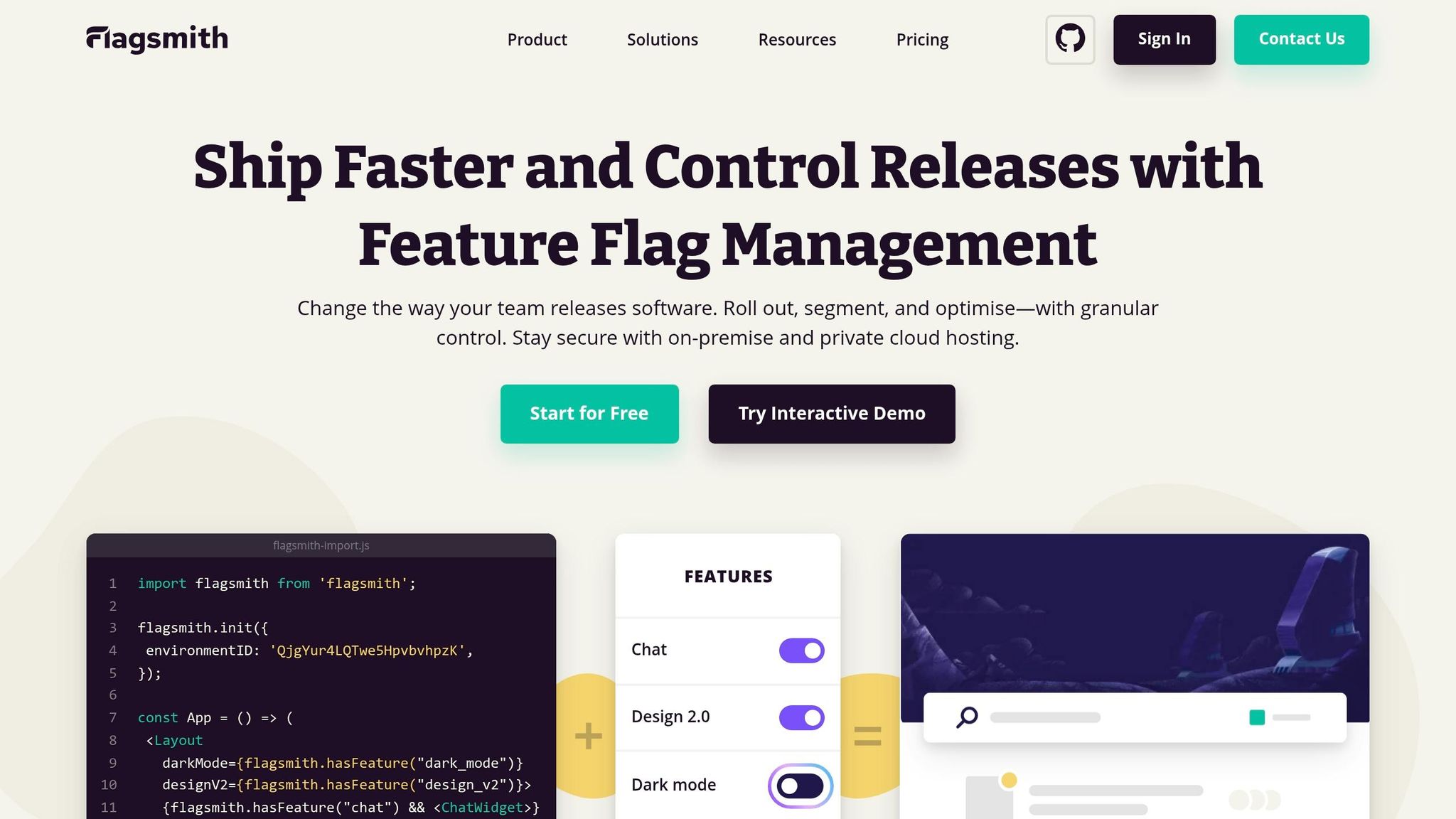
Flagsmith is an open-source feature flagging platform built to prioritize flexibility and control over data. Its core features are available under the BSD-3-Clause license. This platform caters to a wide range of teams, from startups to large enterprises, especially those requiring complete infrastructure oversight.
Deployment Options (SaaS/Self-Hosted)
Flagsmith provides four deployment options to suit various operational and security needs. The SaaS model, known as Flagsmith Cloud, operates across eight global regions, offering a straightforward setup with minimal effort. For organizations seeking enhanced security without sacrificing ease, the Private Cloud option delivers fully managed instances in a location of your choice. For teams prioritizing data sovereignty, Flagsmith supports on-premises deployments using Docker, Kubernetes (via Helm charts), or the OpenShift Operator. Additionally, its Edge API distributes flags from global CDN locations, ensuring sub-millisecond response times for applications with users worldwide. A hybrid approach is also available, allowing teams to start on the cloud and later transition to an on-premise setup if compliance needs evolve. This flexibility makes Flagsmith adaptable to any deployment strategy.
Primary Use Case (Governance and Remote Configuration)
With its versatile deployment options, Flagsmith excels in governance and real-time configuration. Komerční Banka, a leading financial institution in the Czech Republic, selected Flagsmith for its adaptability, open-source foundation, and extensive documentation.
"We decided on Flagsmith not just because of the system's flexibility, but also the great support, the fact that you guys are open source and the great documentation" - Jindrich Kubat, Head of Development, Komerční Banka
Flagsmith's feature flags also double as real-time configuration tools. Developers can tweak application settings - like button colors, API timeouts, or feature thresholds - without redeploying code. For teams requiring advanced governance, features like RBAC, audit logs, and change tracking are available under an Enterprise License. This makes it easier to manage and adjust features in real-time without disrupting workflows.
SDK Coverage and Integrations
Flagsmith supports over 15 languages and frameworks, including React, Node, and Python. It integrates with OpenFeature providers to maintain a vendor-neutral approach at the code level. The platform's Edge API is a standout feature, offering global sub-millisecond response times through its CDN-based infrastructure. Additionally, Flagsmith enables A/B/n testing with multivariate flags, allowing percentage-based traffic splits for more precise experimentation.
Analytics and Monitoring Capabilities
Flagsmith includes a "Usage" dashboard that tracks flag evaluations. Analytics data becomes available within 30 minutes to an hour, with the JavaScript SDK sending evaluation counts every 10 seconds. Through its Datadog integration, Flagsmith tags Real User Monitoring telemetry with feature flag data, helping developers pinpoint which flags were active during specific user sessions. This makes it easier to diagnose errors or performance issues. Furthermore, detailed audit logs record every flag change - who made it and when - ensuring traceability for rollbacks and compliance. By default, flag analytics are disabled in SDKs and require manual activation during client initialization.
5. GrowthBook
GrowthBook is a platform centered on experimentation, seamlessly combining feature flagging with a robust statistical engine. It’s trusted by over 2,700 companies and handles more than 100 billion flag lookups daily. For teams focused on performance, its lightweight 9kb JavaScript SDK is a standout feature.
Deployment Options (SaaS/Self-Hosted)
GrowthBook provides two deployment models tailored to different organizational needs.
- GrowthBook Cloud: A managed SaaS option that eliminates the hassle of infrastructure setup, allowing teams to get started right away.
- Self-Hosted: Designed for organizations with stringent data governance requirements, this option can be deployed using Docker, Kubernetes, or Helm within your own Virtual Private Cloud (VPC).
Diego Accame, Director of Engineering at Upstart, highlighted the importance of the self-hosted option:
"With the kinds of experiments we run and the sensitive data we handle, data security is paramount. The fact that GrowthBook offered us the ability to keep that data in-house was a key reason why we chose to work with them."
Both deployment models offer the optional GrowthBook Proxy, which streams updates via Server-Sent Events and enhances targeting security. The platform ensures 99.9999% uptime and includes a free-forever plan for both deployment options. This flexibility makes GrowthBook a solid choice for teams balancing speed and data security.
Primary Use Case (Experimentation and Cost Efficiency)
GrowthBook stands out by integrating advanced experiment analytics into its feature flagging capabilities. Unlike traditional tools, it’s warehouse-native, meaning it directly accesses exposure and outcome data from your existing data warehouse - whether it’s Snowflake, BigQuery, Redshift, Databricks, ClickHouse, Postgres, or MySQL. This approach resolves discrepancies between internal data and vendor dashboards, ensuring consistency.
The platform operates on seat-based pricing, offering unlimited feature flags, traffic, and experiments. This eliminates the need to calculate costs for every evaluation, streamlining decisions on whether to flag features.
John Resig, Chief Software Architect at Khan Academy, shared how GrowthBook enhanced their rollout strategies:
"Having tags for the classroom or the district a student is in, and then actually rolling out based on those, gives us a lot more power."
SDK Coverage and Integrations
GrowthBook supports 23 SDKs across three categories:
- Client-side: JavaScript, React, Vue, Swift, Kotlin, Flutter, React Native
- Server-side: Node.js, Python, Ruby, PHP, Java, Go, C#, Elixir
- Edge: Cloudflare Workers, Fastly Compute, Lambda@Edge, Vercel
These SDKs perform local evaluations without network requests, eliminating latency during flag lookups. Additionally, the platform integrates with tools like Segment, Mixpanel, and GA4 through tracking callbacks, allowing compatibility with any event tracking system and avoiding vendor lock-in.
Analytics and Monitoring Capabilities
GrowthBook’s analytics engine supports Bayesian, Frequentist, and Sequential statistical methods, with CUPED (Controlled Using Pre-Existing Data) for quicker insights. Metrics can be defined using SQL, enabling teams to measure outcomes such as error rates or latency without additional tracking. Automated checks, like Sample Ratio Mismatch (SRM), ensure experiment validity, while direct integration with data warehouses provides a single source of truth.
6. Split (by Harness)
Let’s dive into Split - a feature management platform now part of Harness. This tool combines strict governance with fast-paced experimentation, making it ideal for teams focused on safe and controlled releases. Split currently serves a staggering 50 billion feature flags daily to over 2 billion end users worldwide, offering the ability to detect and address issues at the flag level.
Deployment Options (SaaS/Self-Hosted)
Split operates as a SaaS platform, but it evaluates feature flags locally. This setup ensures that private data stays on-premise while reducing latency. For enterprises needing more control, Split provides a Relay Proxy, which manages connections between your SDKs and the SaaS platform. This allows teams to deploy code with feature flags turned off, enabling feature releases without requiring redeployment.
Primary Use Case (Governance and Experimentation)
Split excels at combining governance tools - like approval workflows, audit trails, and automated service verification - with powerful experimentation capabilities. A great example of its effectiveness comes from Adobe Workfront, which saw a dramatic reduction in support cases after adopting Split. Typically, support cases spike by 20–40% in the first two weeks after a code release, but with Split, they dropped to nearly zero.
Christopher Horvat, V.P. of Engineering, highlighted the platform’s transformative role:
"Split has been instrumental in our push to true agile processes. The ability to divorce deployment from release via feature flags has had an outsized impact in our ability to deliver new products to market faster than our competitors."
Split also supports A/B testing, guardrail metrics, and centralized tracking for experiments, enabling teams to measure the business impact of new features as they roll out. According to Harness, this approach can help teams ship software up to 50 times faster while reducing friction.
SDK Coverage and Integrations
Split offers both client- and server-side SDKs for platforms like Android, iOS, JavaScript, React, Java, Node.js, and Python, among others. It also integrates seamlessly with tools like Google Analytics, mParticle, Segment, Datadog, Jira, New Relic, and Sumo Logic, letting teams connect feature flags to their existing monitoring systems.
Analytics and Monitoring Capabilities
Split’s monitoring engine kicks in as soon as a gradual release starts, automatically tracking performance issues and errors tied to specific feature flags. It links key metrics - like API response times and page load speeds - to feature changes, giving teams clear insights into their impact. The platform also tracks impressions, showing which users experienced specific features, and connects this data to application events to evaluate business outcomes.
To top it off, the Harness Release Agent uses AI to analyze experiment results, offering actionable insights into how feature changes affect business performance.
Andrew Boellstorff, Director of Digital Product & Technology at Speedway Motors, emphasized the platform’s influence on team morale:
"People would quit if we stopped using Split. The psychological safety comes up in annual reviews."
7. Statsig
Statsig wraps feature flags and analytics into one package, making experimentation smoother for teams. By handling server management and security patches, it lets developers focus on their work. The platform processes a staggering 1 trillion events daily and boasts an impressive 99.99% uptime for its API and console. With evaluation latency clocking in at under 1 millisecond, it’s designed for teams that need speed without compromising reliability. This setup supports a range of deployment options to fit different needs.
Deployment Options (SaaS/Managed)
Statsig offers three deployment models: Fully managed cloud (SaaS), Warehouse-native, and Hybrid. The warehouse-native option integrates with existing data warehouses like Snowflake, BigQuery, or Databricks, keeping sensitive data on-premises while Statsig handles computations. The hybrid model splits responsibilities, allowing sensitive data to stay local while metadata is managed in the Statsig cloud. This setup significantly reduces the DevOps workload compared to traditional self-hosted tools. Teams transitioning from self-hosted solutions have reported cutting experimentation overhead by 50% to 70%.
Primary Use Case: Experimentation and Cost Efficiency
Statsig is built for large-scale experiments. For example, in 2024, Notion switched from its in-house tool to Statsig, scaling from a handful of experiments to over 300 per quarter while drastically reducing tooling overhead. Wendy Jiao, Staff Software Engineer at Notion, highlighted the transformation:
"Statsig enabled us to ship at an impressive pace with confidence. A single engineer now handles experimentation tooling that would have once required a team of four."
Statsig also leverages CUPED variance reduction to shorten experiment runtimes by 30% to 50%. Its pricing model is usage-based, scaling with analytics events rather than the number of users. Even the free tier is generous, offering 2 million events per month and 50,000 session replays.
SDK Coverage and Integrations
With over 30 open-source SDKs, Statsig supports major languages like JavaScript, Python, Java, Go, and Rust, as well as platforms such as iOS, Android, React Native, Flutter, and visionOS. It integrates seamlessly with tools like Segment, Datadog, Slack, Amplitude, and Mixpanel. For global deployments, its Edge SDKs enable flag evaluation at the CDN level, ensuring sub-millisecond latency.
Analytics and Monitoring Capabilities
Statsig’s Pulse engine automatically tracks how new features affect key metrics as soon as they are rolled out. It includes automated rollback triggers to revert changes if they negatively impact performance. Advanced statistical tools, such as sequential testing with always-valid p-values and Bayesian analysis, enhance the accuracy of experiments. For qualitative insights, session replays let teams analyze user interactions. OpenAI has used Statsig to manage feature rollouts for ChatGPT, running hundreds of experiments across millions of users. Paul Ellwood, Head of Data Engineering at OpenAI, emphasized its value:
"Statsig's experimentation capabilities stand apart from other platforms we've evaluated. Statsig's infrastructure and experimentation workflows have been crucial in helping us scale to hundreds of experiments across hundreds of millions of users."
Statsig provides developers with the tools they need to roll out features quickly and confidently, making it a strong choice for modern experimentation workflows.
Feature Comparison Table
When choosing a feature flagging tool, consider factors like deployment options, SDK coverage, analytics capabilities, and the tool's ideal use case. The table below breaks down seven platforms based on these criteria.
| Tool | Deployment Options | SDK Support | Key Analytics Features | Best Use Case |
|---|---|---|---|---|
| PostHog | Cloud, Self-hosted | Broad (Web, Mobile, Server) | Session replays, heatmaps, product analytics | Data-driven teams needing all-in-one product insights |
| LaunchDarkly | Cloud (SaaS) | 25+ SDKs | Real-time auditing, experimentation, governance | Large enterprises requiring strict compliance and scale |
| Unleash | Cloud, Self-hosted, Hybrid | 25+ SDKs | Gradual rollout monitoring, basic A/B testing | Organizations with high security/compliance needs |
| Flagsmith | Cloud, Self-hosted, On-premises | 15+ Platforms | Remote config, basic segmentation, A/B testing | Teams wanting infrastructure control and open-source |
| GrowthBook | Cloud, Self-hosted | 10+ Languages | Bayesian/Frequentist stats, warehouse-native | Experiment-heavy teams using data warehouses |
| Split | Cloud (SaaS) | Broad (Web, Mobile, Server) | AI-powered insights, real-time alerting | Engineering leaders focused on safety and impact |
| Statsig | Cloud, Warehouse-native | 30+ SDKs | Pulse analytics, automated impact analysis | Teams prioritizing deep statistical experimentation |
Key Takeaways
Each platform addresses different developer needs, balancing analytics depth, deployment flexibility, and SDK support.
- SDK Coverage: LaunchDarkly supports 25+ SDKs, while Statsig leads with over 30, making them ideal for diverse tech stacks.
- Data Warehouse Integration: GrowthBook and Statsig excel in warehouse-native deployments, allowing teams to keep data local during experiments, especially useful for those leveraging tools like Snowflake or BigQuery.
- Deployment Options: Teams needing full infrastructure control can opt for self-hosted solutions like Unleash, Flagsmith, or PostHog, while others may prefer the convenience of cloud-based platforms.
Analytics Features
The analytics capabilities vary widely between platforms:
- PostHog: Combines feature flags with session replays and heatmaps, offering behavioral insights alongside product analytics.
- Split: Focuses on real-time performance monitoring with AI-driven impact analysis.
- Statsig and GrowthBook: Provide advanced statistical engines, including sequential testing and Bayesian analysis, for rigorous experimentation.
- LaunchDarkly and Unleash: Emphasize flag infrastructure and safe deployment, often requiring external tools for deeper behavioral tracking.
Pricing Overview
Pricing models also differ:
- PostHog: Starts at $450/month for 5M events.
- Unleash: Offers a Pro tier at $80/month.
- GrowthBook: Cloud Pro costs $20/user/month, with a free self-hosted option.
- Statsig: Free for up to 1M events, scaling to about $650/month for 10M events.
- LaunchDarkly: Charges based on monthly active users (MAU).
This comparison underscores how each tool caters to specific priorities, whether it's analytics depth, deployment flexibility, or SDK variety, helping teams manage feature rollouts effectively.
Conclusion
Looking back at the seven feature flagging tools we explored, one thing is clear: feature flagging has shifted from being a "nice-to-have" to a critical part of modern development workflows. Each tool we covered brings something unique to the table. For instance, LaunchDarkly excels in enterprise-level governance, while GrowthBook and Statsig shine with their focus on experimentation. On the other hand, Unleash and Flagsmith cater to teams seeking complete control with self-hosted solutions.
At its core, feature flagging offers one game-changing benefit: it separates deployment from release. This means you can push code to production with features turned off, activate them instantly without redeploying, roll out updates to a small percentage of users, shut down buggy features with a kill switch, and test internally before a public rollout.
The numbers back this up. The Experimentation-led Growth Report found that 96% of companies projecting major growth in 2025 have invested in feature experimentation. Clearly, feature flagging isn't just about smoother releases - it’s directly tied to driving business success.
When selecting a tool, consider what your team needs most. Is data residency a priority? Do you need advanced analytics or user-friendly dashboards for non-technical stakeholders? For example, PostHog and Split might be better suited for teams that need unified analytics, while Flagsmith serves developer-heavy teams looking for simplicity and control.
Finally, don’t forget to treat feature flags like code. Regularly review and retire outdated flags to avoid unnecessary technical debt. The right tool will not only fit into your workflow but also enhance how confidently you deliver features to production. With these insights, your team can make a well-informed choice that aligns with both technical goals and business ambitions.
FAQs
How do I choose the right feature flagging tool for my team?
When picking a feature flagging tool, think about your team’s size, skill level, and how you work together. Key features to look for include centralized management, scalability, and the ability to perform instant rollbacks. Tools that support testing in production and offer lifecycle management can make a big difference, especially for teams handling frequent updates. Whether your team prefers low-code options or more sophisticated setups, choose a platform that fits your workflow to simplify how you roll out and manage features.
When should I self-host vs. use a SaaS feature flag platform?
Self-hosting works best for organizations that need complete control over their data, stronger security measures, and the ability to customize their setup - especially in industries with strict compliance requirements. That said, it does come with challenges like requiring advanced technical expertise, ongoing maintenance, and a higher initial investment.
On the other hand, SaaS platforms are a go-to option for businesses looking for quick deployment, scalability, and simplified management. With lower operational overhead, they’re ideal for companies that value flexibility and ease of use, as long as the provider meets their security and compliance standards.
How can I avoid feature flag technical debt?
Managing feature flags effectively is crucial to avoid technical debt. One smart approach is regular cleanup and maintenance. For instance, using flag expiry management allows you to automatically remove flags once they’ve served their purpose.
Additionally, having a centralized system to create, monitor, and remove flags helps prevent unnecessary clutter. Pair this with regular audits and detailed documentation of active flags to ensure outdated ones are identified and removed quickly. These practices will keep your codebase streamlined and organized.