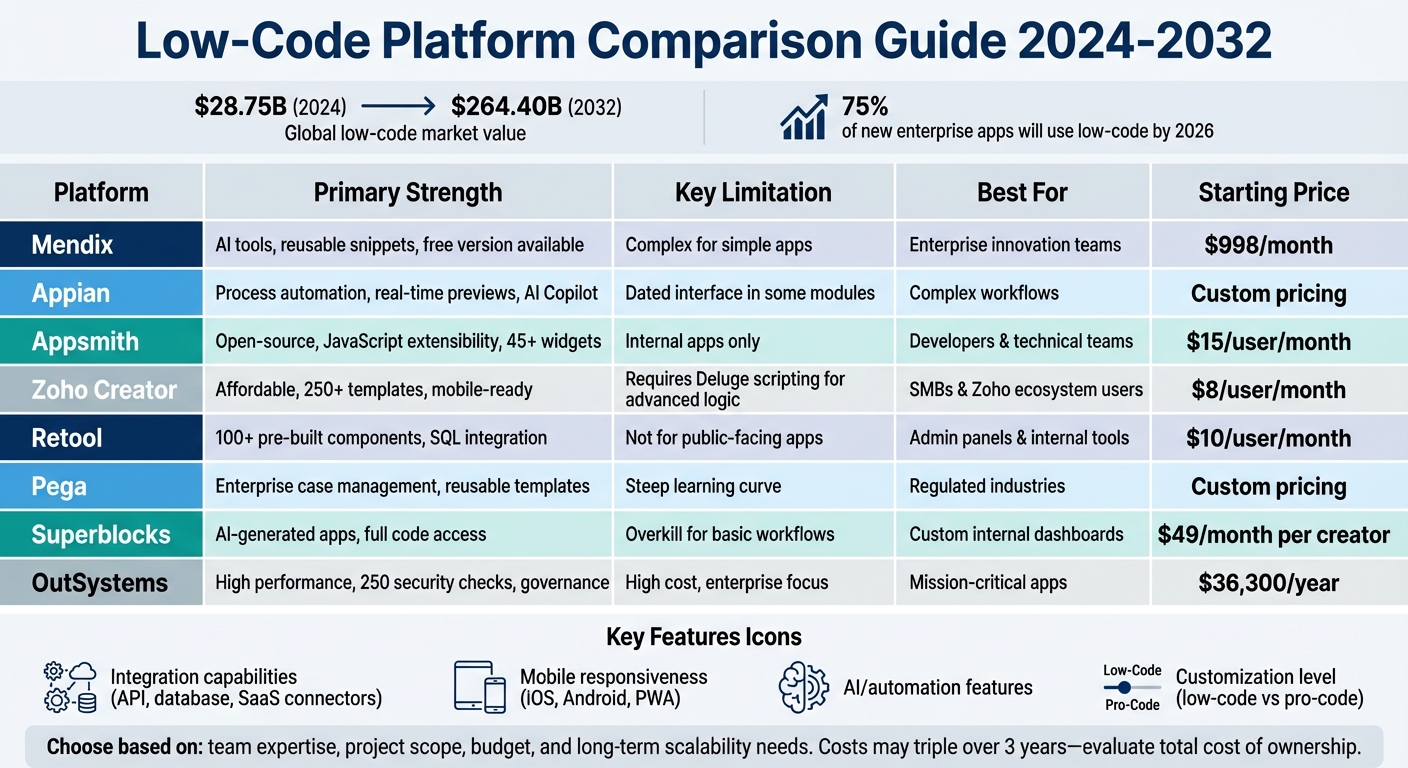
Low-code platforms with drag-and-drop features are transforming app development by simplifying the process and reducing the need for extensive coding. Developers and non-technical users can now create applications faster, saving time and resources. The global low-code market, valued at $28.75 billion in 2024, is projected to grow to $264.40 billion by 2032, with 75% of new enterprise apps expected to utilize these platforms by 2026. This guide compares eight platforms - Mendix, Appian, Appsmith, Zoho Creator, Retool, Pega, Superblocks, and OutSystems - based on their drag-and-drop capabilities, integration options, mobile responsiveness, and pricing.
Key Takeaways:
- Mendix: AI tools, reusable snippets, and connectors for platforms like Salesforce and AWS. Free version available.
- Appian: Real-time previews, pre-designed patterns, and AI Copilot for form generation. Strong for process automation.
- Appsmith: Open-source, JavaScript extensibility, and developer-focused. Best for internal tools.
- Zoho Creator: Affordable and mobile-ready with 250+ templates. Requires Deluge scripting for advanced logic.
- Retool: 100+ pre-built components and SQL integration. Ideal for admin panels.
- Pega: Enterprise-grade case management with reusable templates. Steep learning curve.
- Superblocks: AI-generated apps with full code access and strong governance tools.
- OutSystems: High-performance apps with 250 security checks and responsive design.
Quick Comparison:
| Platform | Strength | Limitation | Best For |
|---|---|---|---|
| Mendix | AI tools, free version | Complex for simple apps | Enterprise innovation teams |
| Appian | Process automation | Dated interface in modules | Complex workflows |
| Appsmith | Open-source, JS extensibility | Internal apps only | Developers |
| Zoho Creator | Affordable, mobile-ready | Needs Deluge for advanced logic | SMBs |
| Retool | Pre-built components | Not for public-facing apps | Admin panels |
| Pega | Case management | Steep learning curve | Regulated industries |
| Superblocks | AI-driven app generation | Overkill for basic workflows | Internal dashboards |
| OutSystems | High performance, governance | High cost | Mission-critical apps |
Choosing the right platform depends on your team's expertise, project scope, and budget. Each platform has strengths and trade-offs, so evaluate your specific needs before committing.
Low-Code Platform Comparison: Features, Strengths, and Best Use Cases
Drag, drop, deploy!
sbb-itb-33eb356
1. Mendix Visual Drag-and-Drop Builder
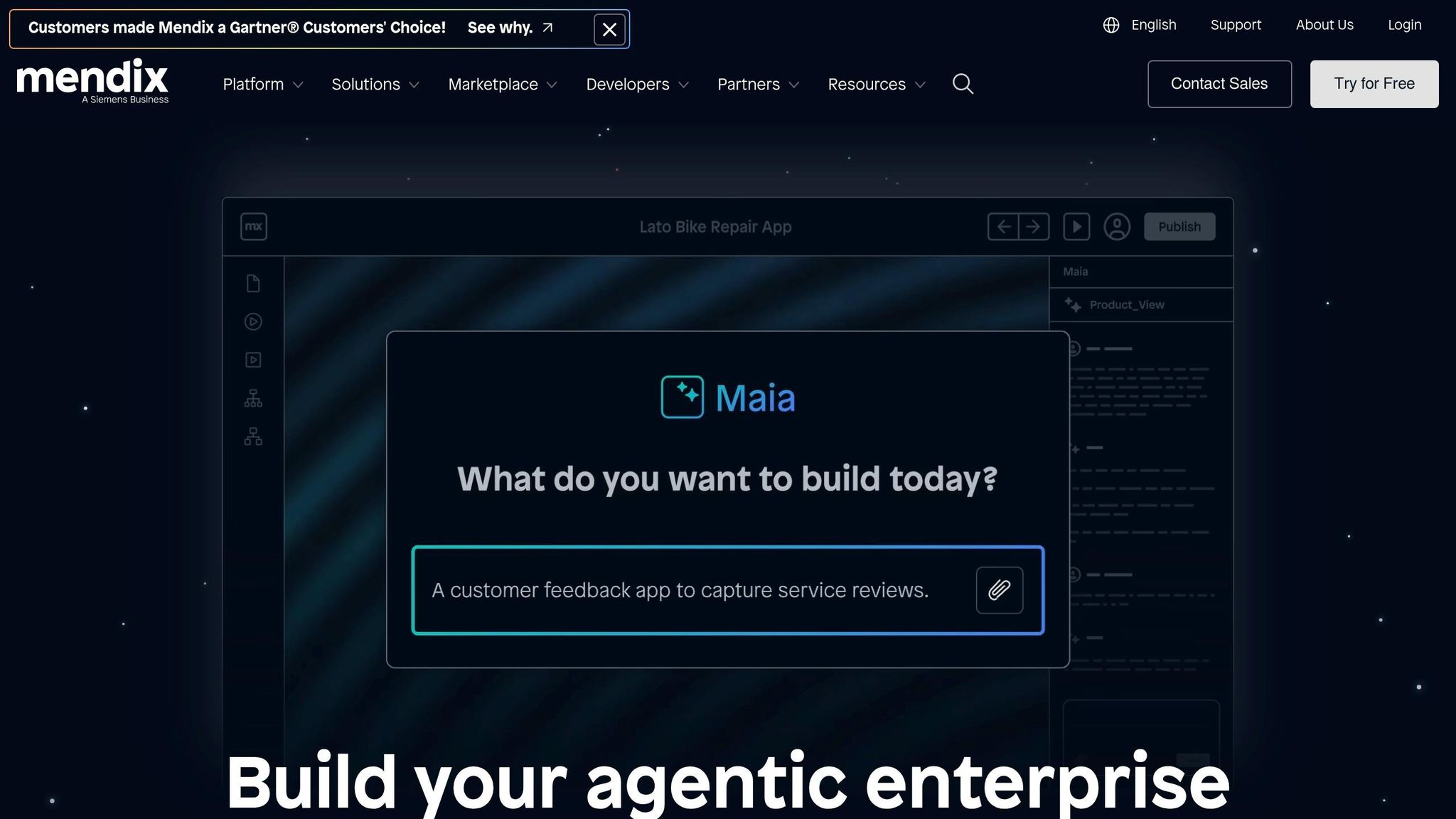
Mendix leverages the Atlas UI framework, a rich library of templates, building blocks, and widgets, to deliver its intuitive drag-and-drop functionality. With its visual editor, you can easily place layout grids, buttons, charts, and more onto your canvas without writing a single line of code. For those who need extra flexibility, developers can extend these elements with custom JavaScript widgets.
UI Customization Made Simple
The Theme Customizer streamlines branding by letting you upload your company logo, after which Mendix automatically extracts your brand colors and applies them across your app’s theme. You can also create reusable snippets that update centrally, saving time and effort. On top of that, the platform offers Maia for Pages, an AI-powered tool that generates UI elements from text prompts or images, and the Maia UI Recommender, which provides contextual layout suggestions as you build. For teams working with professional designers, Figma integration ensures a smooth handoff to developers.
Seamless Integration Options
Mendix supports connectors for major platforms like Salesforce, SAP, Microsoft Dynamics, AWS, Snowflake, and OpenAI. It also works with standard protocols such as REST, SOAP, OData, JDBC, MQTT, and OPC, enabling integration with both modern and legacy systems. With Mendix Connect, you can pull data from external APIs and databases directly into the visual builder. Plus, the Mendix Forum is a valuable resource, with technical queries typically answered in about 30 minutes. Notably, Mendix is the first low-code platform to support embedded machine learning models, removing the need for API-based integrations in those cases.
Mobile Responsiveness and Multi-Channel Support
Mendix enables you to create responsive designs, Progressive Web Apps, and offline-first native mobile apps for iOS and Android - all from a single codebase. The offline-first feature ensures that mobile apps remain functional even without internet connectivity, syncing data automatically when a connection is restored. This "build once, deploy everywhere" approach allows you to target web, mobile, wearables, and other platforms without additional work. Beyond responsive design, Mendix simplifies both business logic implementation and rapid prototyping.
Standout Features
Mendix introduces visual microflows (server-side) and nanoflows (client-side), which simplify business processes and make them accessible to non-developers. This fosters what PostNL’s Chris Neuteboom calls "a common language" between business and IT teams. The platform’s model-driven development is reported to be up to 90% faster than traditional programming methods. Additionally, Mendix offers a free version that lets you design, build, and deploy prototypes or small applications indefinitely, with paid options available for larger enterprise needs.
"You can get started with development much quicker, and you can have your developers talk to the business stakeholders right away because you're all speaking the same language. You can even model the data together."
– Phillip Lutz, Siemens Motion Control
These elements highlight Mendix’s distinctive approach to making low-code development accessible and efficient for both technical and non-technical users.
2. Appian Drag-and-Drop Interface
Appian's interface builder organizes your workspace into three key areas: the Palette (where you choose components and patterns), the Live View (for real-time editing and previews), and the Configuration Panel (used for tweaking properties and rule inputs). This setup ensures an intuitive workflow, making it easy to place elements and immediately see how they function. At the core of Appian's UI capabilities is its Self-Assembling Interface Layer (SAIL), a proprietary technology that enables dynamic, interactive user interfaces without the need for manual CSS or front-end coding. Much like Mendix, Appian's design approach simplifies rapid application development while integrating seamlessly into proprietary low-code platforms.
UI Customization Ease
One standout feature of Appian is its AI Copilot, which can generate interface forms by analyzing PDFs and automatically mapping fields to rule inputs. This feature eliminates hours of manual effort. Additionally, Appian provides Patterns - pre-designed sets of components tailored for common features like dashboards, search filters, and KPI displays. Developers can also save custom-built interfaces in a shared Design Library, allowing team members to reuse branded, pre-approved UI elements in future projects. Appian asserts that these tools enable developers to build applications up to 10 times faster than traditional methods.
"The moment you log in, you can see more details. I really like it. Someone new will see how beautiful it is right from the beginning." – Aviroop Dasgupta, Appian SME & Customer
Integration Support
Appian's Data Fabric architecture allows developers to drag and drop data fields directly into their UI from a unified data layer. This layer connects systems like SAP, Salesforce, AWS, and Workday without requiring data migration or refactoring. The platform supports REST/HTTP, SOAP, and JDBC protocols and boasts hundreds of prebuilt connectors available on the Appian AppMarket. Companies leveraging Appian have reported cutting processing times by up to 50% and reducing reporting times from hours to just minutes.
Mobile Responsiveness
Appian includes Instant Mobility, which automatically generates mobile-friendly versions of applications as they are built - no additional steps needed. Developers can use the Device Width Preview toggle in the interface header, along with features like stackWhen and the a!isPageWidth() function, to test and adjust how components adapt to different screen sizes during development. The platform supports both iOS and Android, offering offline functionality so users can interact with apps even without an internet connection. This combination of automation and user-friendly tools makes Appian a strong contender among low-code platforms. For a broader look at the market, you can browse a low code platforms directory to compare similar tools.
Unique Strengths
Appian has earned recognition as a Leader in the 2025 Gartner Magic Quadrant for Enterprise Low-Code Application Platforms and was ranked #1 for "Business Workflow Automation with Integration". Its cloud-native architecture can handle massive workloads, with the capacity to process up to 6 million transactions per hour. Developers also praise the Explore View, which offers a clear, immediate overview of app architecture, simplifying the understanding of complex applications.
"The explorer view is awesome. It gives everything in a nutshell. I can't wait to get started with the new Designer." – Sthuthi Devadas, Associate Director, VURAM
3. Appsmith Drag-and-Drop UI Builder
Appsmith stands out by offering a developer-focused drag-and-drop design experience. Trusted by over 10,000 teams globally - including names like Dropbox, GSK, and AWS - it provides tools tailored to streamline app creation. One standout feature is the Reflow system, a smart algorithm that prevents widget collisions by recalculating their positions in real time. This eliminates the hassle of manual layout adjustments.
UI Customization Made Simple
Appsmith includes over 45 pre-built widgets, such as tables, charts, forms, and buttons. These can be customized without any coding, but for more advanced needs, developers can use custom HTML, JavaScript, or CSS. The built-in JavaScript editor enhances this process with features like autocomplete, linting, and debugging. The platform also incorporates AI copilots, which can generate custom widgets and workflows based on natural language prompts. Additionally, external JavaScript libraries can be imported to handle complex tasks like advanced data visualization or specialized authentication. These tools integrate smoothly with external data sources, giving developers flexibility and control.
"We wanted the experience of making an app on Appsmith should be smooth and delightful." – Ashok M and Rahul Ramesha, Frontend Engineers, Appsmith
Broad Integration Capabilities
Appsmith supports over 18 native integrations, including popular databases like PostgreSQL, MySQL, MongoDB, and Amazon Redshift. It also connects easily with SaaS tools and REST/GraphQL APIs. Linking external systems is straightforward - widgets can be quickly bound to APIs or database queries. For those needing secure workflows, Appsmith supports advanced authentication methods like OAuth2, which works across all data sources. Real-world success stories include GSK's ability to patch 3,500 Linux servers efficiently and Block's 50% faster processing of new customer applications.
Built-In Mobile Responsiveness
Appsmith’s Intent-based Auto-layouts automatically adapt multi-column designs into mobile-friendly single-column layouts. This ensures apps look great across devices and significantly speeds up responsive web app development.
"We believe intent-based layouts is going to double your speed of building web + responsive apps in Appsmith and usher in a new approach to responsiveness that will become the de-facto standard for all app builder tools." – Taras Brizitsky, Appsmith
Key Features That Set It Apart
As an open-source platform under the Apache 2.0 license, Appsmith ensures developers aren’t locked into proprietary systems. Its pricing is usage-based at $0.40 per hour, making it cost-effective. For teams, it supports professional workflows with Git-based version control (compatible with GitHub, GitLab, and Bitbucket), enabling efficient collaboration through pull requests and code reviews. F22 Labs, for instance, saved $1,200 monthly by using Appsmith to create custom extensions, reducing the need for additional seat licenses. User ratings consistently range from 4.7/5 to 5/5, highlighting its developer-friendly approach and transparency.
4. Zoho Creator Drag-and-Drop System
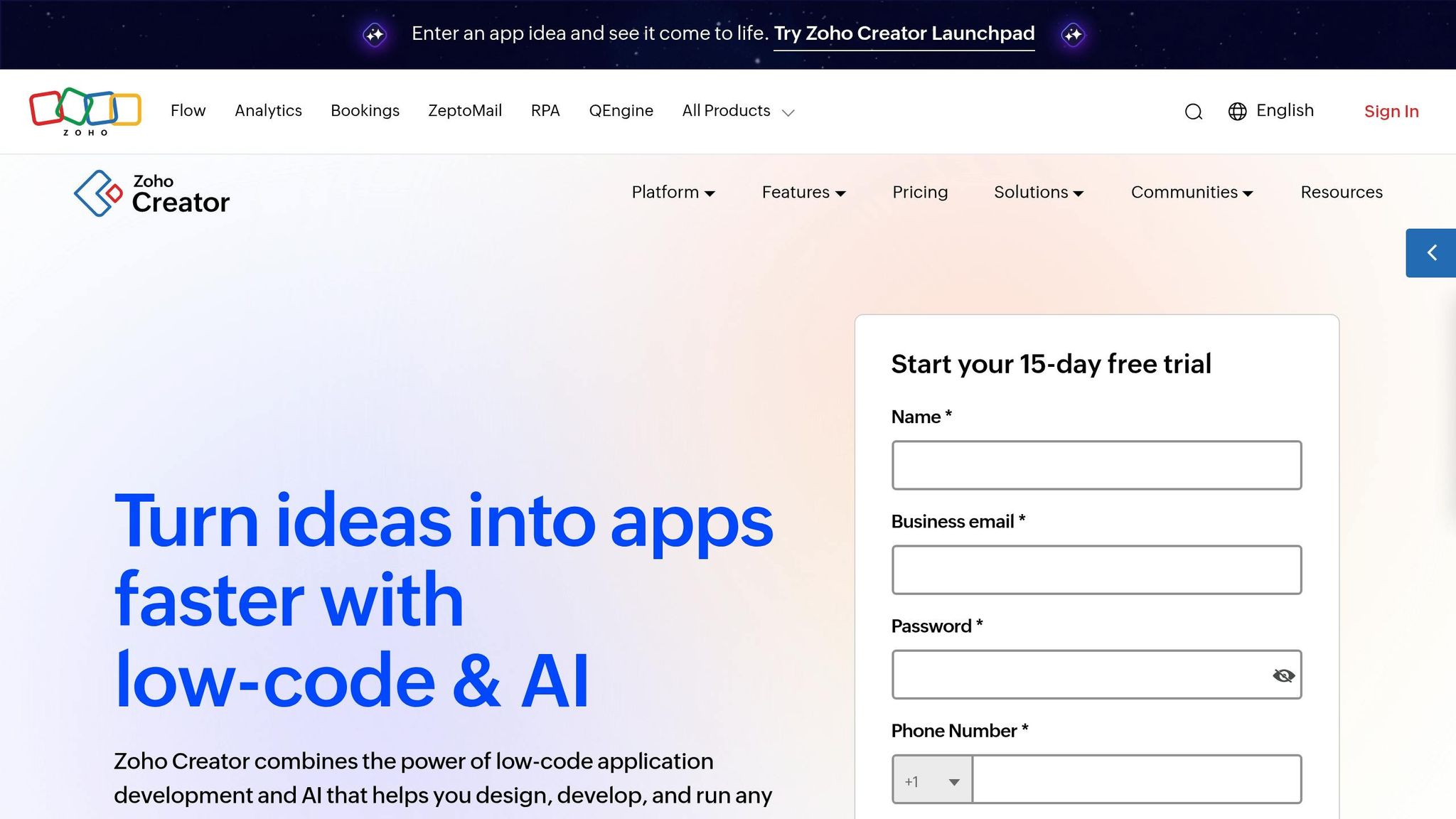
Zoho Creator stands out with its intuitive drag-and-drop system, simplifying app deployment for over 30,000 businesses and 13 million users. Its impact is clear - 95% of users publish their apps within minutes of creating them. In January 2026, Jojo Guingao, Chief Digital Officer at Aboitiz Equity Ventures, shared how they deployed 46 apps with both mobile and web capabilities, saving approximately $670,000 compared to other platforms.
UI Customization Ease
Creating user-friendly interfaces is a breeze with Zoho Creator’s specialized tools like Form Builder, Record Layout Designer, Page Builder, and KPI Builder. Combined with over 250 pre-configured UI templates, these tools enable rapid deployment across web, mobile, and tablet platforms. By handling data modeling and design at the system level, the platform lets users focus on business logic while maintaining functional, industry-standard interfaces.
For those seeking advanced customization, the CoCreator AI assistant (powered by Zia) simplifies app creation by generating app structures and data models from natural language inputs. Additionally, its AI-assisted migration tools make it easy to import data from Excel or Google Sheets into formatted databases. Once the UI is ready, seamless integrations further enhance the platform’s capabilities.
Integration Support
Zoho Creator connects effortlessly with over 1,000 third-party apps and integrates deeply with more than 45 tools in the Zoho ecosystem, such as Zoho CRM and Zoho Books. Supporting 62 languages and 137 currencies, the platform is well-suited for global operations. Built-in payment gateways and "Integration Fields" fetch real-time data from services like Salesforce or QuickBooks, all without requiring manual coding. Even on the free plan, users get 250 API calls per day and 50 email notifications. Its mobile-friendly features further complement these integrations, ensuring a smooth experience.
Mobile Responsiveness
Web apps built on Zoho Creator can easily convert into native Android and iOS apps. With over 80 mobile-specific controls for gestures, navigation, and data entry, the platform integrates seamlessly with hardware like GPS, cameras, NFC, QR codes, and barcode scanners. It also automatically creates Progressive Web Apps (PWAs), offering browser-based access with app-like functionality.
"One of the huge advantages that Zoho Creator presented us is a beautiful scaling model, where you can literally start with one user and one small application." – CTO, Briotix Health
Unique Strengths
Zoho Creator has earned a 4.6/5 rating from over 5,000 reviews and was recognized as a "Top Low-code Platform" in the Gartner Magic Quadrant. Its role-based personalization adapts the UI based on user attributes like department or designation, using built-in business logic and permissions. The platform’s Deluge scripting language allows for custom business logic, while JavaScript widgets extend UI functionality. For global deployment, Smart Translation supports Right-to-Left (RTL) layouts for languages such as Arabic and Hebrew, ensuring accessibility for diverse audiences.
5. Retool Drag-and-Drop Builder
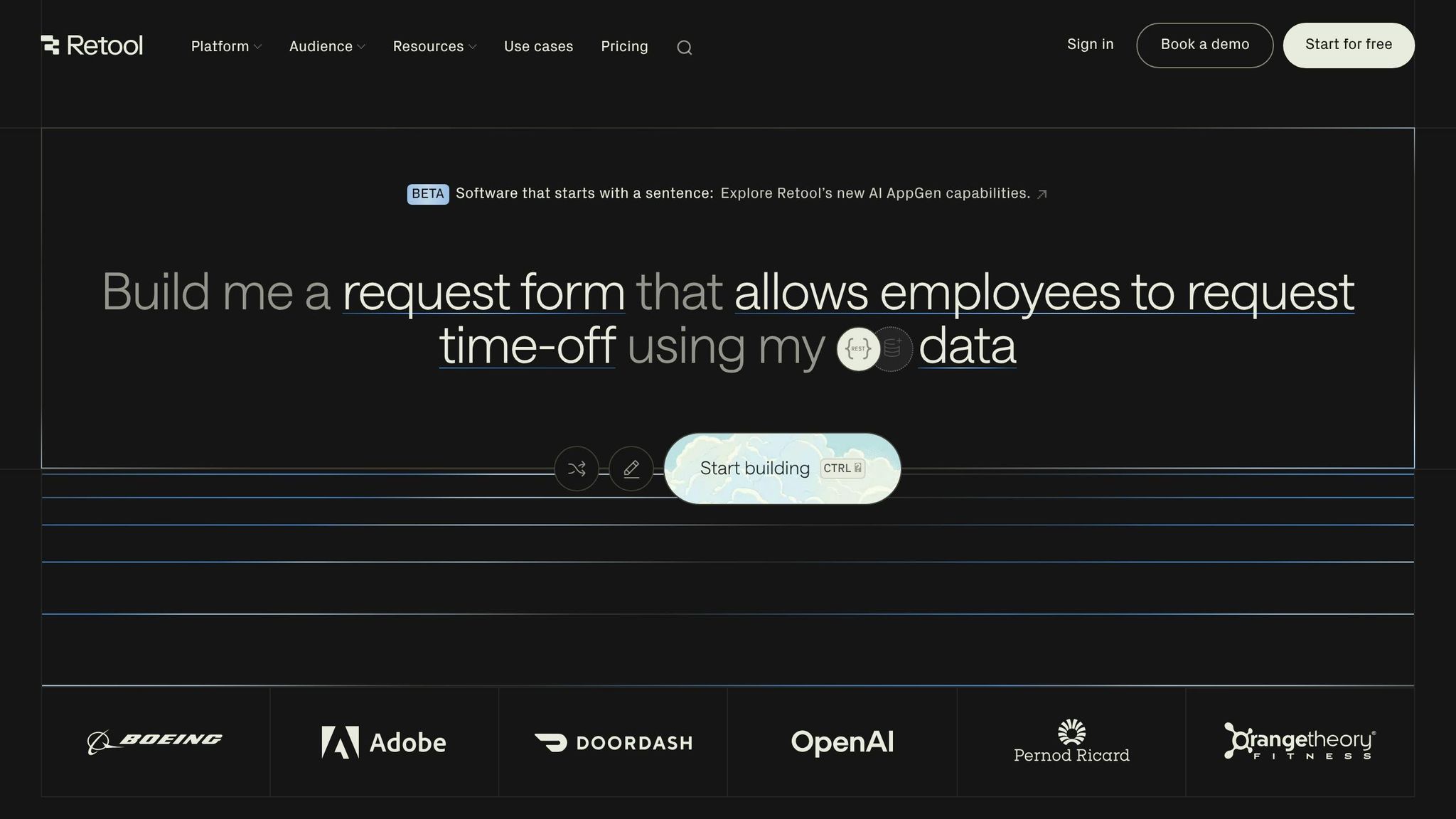
Retool stands out as a powerful low-code platform, trusted by companies like Brex, DoorDash, and Orangetheory Fitness. It combines the simplicity of drag-and-drop functionalities with the flexibility of developer-level control. With over 100 pre-built React components - such as tables, forms, charts, and modals - users can create functional apps in just minutes. What makes Retool especially appealing is its "write JavaScript anywhere" approach, which allows developers to fine-tune logic and styles while non-technical users focus on the visual interface.
UI Customization Ease
Retool's interface is built on a 12-column grid system. Components snap into place, ensuring proper alignment and spacing. The platform also offers 35+ updated UI input components with smart defaults for data types like Email, URL, Currency, and Percent, cutting down on manual setup time. For those aiming to prototype quickly, Retool's AI can generate a fully functional tool based on a simple natural language description (e.g., "Create a customer lookup tool"), complete with queries, search, and pagination.
"When we rolled out our Retool lead management app, we were able to incorporate user feedback at rocketship speed." – Malcolm Greene, Senior VP of Engineering, Orangetheory Fitness
All input components are designed to meet WAI-ARIA Authoring Practices and WCAG Level AA standards, ensuring accessibility with full keyboard support and screen reader compatibility. Features like Container and Tabbed Container components make it easy to group and move nested elements as a unit.
Integration Support
Retool shines when it comes to integrating with various data sources. It offers over 70 native integrations, including PostgreSQL, MySQL, MongoDB, Snowflake, Salesforce, Stripe, and APIs like REST, GraphQL, or gRPC. Users can connect to databases through a GUI or write SQL directly. The platform also enables seamless data orchestration by combining query results with API responses using JavaScript transformers.
"Retool helped us…by making tools a quick and painless part of any project, saving us countless hours of operator and engineering time." – Rohan Chopra, Director of Engineering, DoorDash
Mobile Responsiveness
Apps built in Retool adapt automatically to mobile layouts when the viewport width drops below 600 pixels. The desktop canvas has a maximum width of 1,200 pixels and a minimum of 800 pixels. To ensure usability on smaller screens, at least one component must be configured to "Show on mobile" in the Inspector panel.
Unique Strengths
Retool's mixed-mode development environment allows users to switch effortlessly between natural language inputs, visual editing, and custom code. Improvements to the drag-and-drop system ensure that container sizes remain stable while arranging components, even in dense or nested layouts. Additionally, Retool includes "Retool Agents", which leverage LLMs to automate complex workflows like triaging support tickets or processing documents. For enterprise users, Retool provides robust security features, including SSO (Okta, Google, SAML), role-based access control, and audit logs.
"Retool is incredible. It's been a critical for our ops from the start, and is the reason we're able to scale so quickly." – Pedro Franceschi, Co-founder and CTO, Brex
6. Pega Drag-and-Drop Interface
Pega's low-code platform has been recognized as a "Strong Performer" by Forrester, earning high marks for its process automation tools, app testing, and management capabilities. It delivers a user-friendly experience for both business professionals and developers through its App Studio, where applications can be visually built without requiring knowledge of HTML, CSS, or JavaScript.
UI Customization Ease
Pega's Cosmos Design System brings drag-and-drop simplicity to UI development, similar to other top platforms. Its canvas includes an extensive library of reusable templates, making it easy to add pre-built components like forms, buttons, data sources, and entire sections. Layouts are automatically optimized based on low-code UX design best practices, allowing teams to concentrate on business logic rather than front-end design.
The platform includes conditional visibility options, enabling smarter forms without coding. For instance, a text box can be set to appear only when "Other" is selected in a dropdown menu. This approach reduces user errors and streamlines data entry. Additionally, its React-based architecture boosts application performance - running processes up to three times faster while cutting data payloads by 75%.
"For the first time, organizations can use low code to not only build bullet-proof process automation apps but to also easily complement their own developed apps with elegant user interfaces – all done in the same tool." – Kerim Akgonul, Chief Product Officer, Pegasystems
Integration Support
Pega's Digital Experience (DX) APIs are context-aware, meaning front-end interfaces automatically update whenever back-end processes are modified. This eliminates the need for manual UI adjustments when workflows or data sources are changed. The platform supports complex integrations, including robotic process automation (RPA), digital decisioning, and content management.
Real-world examples highlight its effectiveness. Pfizer, for instance, revamped its portfolio management tool with Pega, achieving a 28% boost in process efficiency, a 65% improvement in user experience, and a 650% increase in system performance. Similarly, Deutsche Bahn utilized Pega's App Factory across 580 subsidiaries, cutting manual workload by 50% in its Contract Management microjourney project using reusable templates and automated guardrails. These examples underscore how seamless integrations enhance user experiences across devices.
Mobile Responsiveness
Applications built with Pega's React-based Constellation design system deliver consistent performance across web and mobile platforms. Its "Center-out" architecture ensures that business logic and rules are deployed uniformly across all channels - web, mobile, and chat - without requiring separate development efforts. Additionally, mobile-specific features like push notifications and in-app alerts can be configured directly within the case lifecycle.
Unique Strengths
Pega's App Factory approach enables organizations to scale citizen development while maintaining strict governance. Built-in guardrails ensure compliance with IT policies and regulations. Beyond simplifying app creation, the platform delivers measurable business outcomes. A Forrester study found that enterprises using Pega's low-code platform achieved a 598% ROI and saved $12.5 million in productivity costs over three years.
The Agile Workbench tool further enhances integration management by allowing teams to visually capture and manage requirements. Developers can drag and drop data sources onto the canvas, simplifying complex integrations for business users. This model-driven approach ensures that even intricate data connections, like pulling information from external order management systems, are accessible and manageable.
7. Superblocks Drag-and-Drop Builder
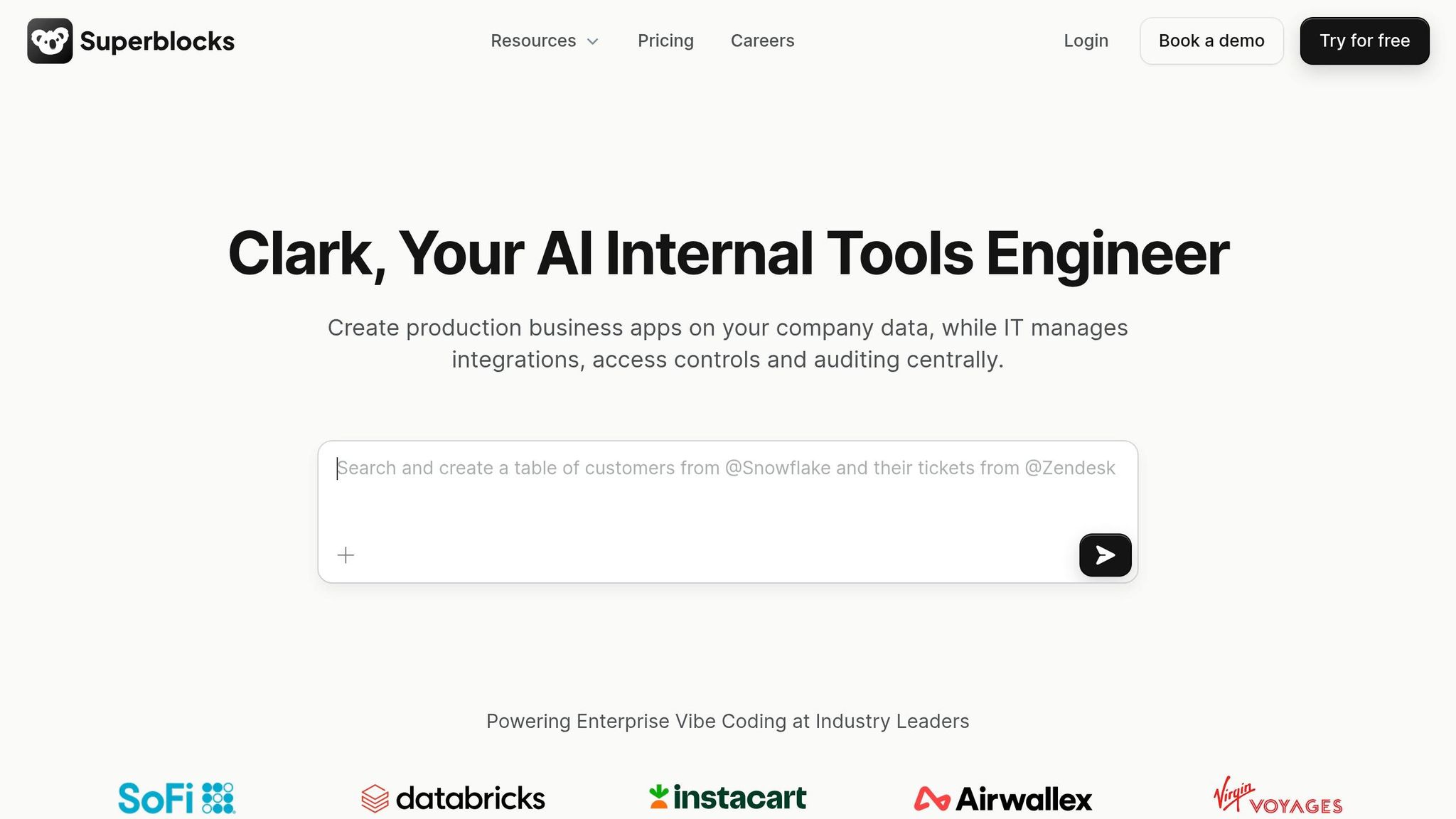
Superblocks stands out among low-code development platforms by combining AI-generated code with a visual drag-and-drop editor. It also offers full code access, allowing advanced users to customize their applications as needed.
UI Customization Ease
Superblocks' Layouts system simplifies the process of creating responsive designs by leveraging CSS Flexbox and Grid through an intuitive visual interface. This eliminates the need for manual CSS coding. Users can choose from three layout modes - Fixed Grid, Vertical Stacks, or Horizontal Stacks - and dynamic sizing options like Fit Content, Fill Parent, or Fill Viewport, which automatically adapt to data and screen size.
A practical example of its usability comes from Virgin Voyages, which deployed 10 semi-technical team members in May 2024 to create 8 production-ready applications within 30 days. With just two days of training, the team delivered impactful solutions without relying on frontend or backend engineers. This speed is a core driver of low-code CX transformation for modern enterprises.
Superblocks also offers pixel-level precision, making it easy to align designs with tools like Figma. Features like "Collapse when invisible" adjust spacing for hidden elements automatically. Additionally, the platform provides a library of over 100 pre-built components, including tables, charts, forms, and maps.
"Superblocks Layouts give you the dynamic power of Flexbox and CSS grid on the web. Build any dynamic layout with zero frontend expertise." – Superblocks Team
Integration Support
Superblocks supports over 60 native integrations, including popular databases like Postgres, Snowflake, and BigQuery, as well as SaaS tools and REST/GraphQL APIs. Its On-Premise Agent (OPA) runs within a customer's VPC as a lightweight Docker container, ensuring sensitive data stays secure while benefiting from cloud-based management. Integration credentials, such as Basic Auth, API keys, OAuth 2.0, and AWS IAM, can be configured once and shared across the organization.
The platform's data tags feature allows seamless switching between staging and production environments. It also integrates with Git-based systems like GitHub and GitLab, CI/CD pipelines, and monitoring tools like Datadog, New Relic, and Splunk, making it a versatile choice for secure and efficient workflows.
Mobile Responsiveness
Superblocks simplifies mobile optimization with its "Stack columns at" feature, enabling developers to define breakpoints where horizontal layouts stack vertically for better usability on tablets and mobile devices. Sections set to Fill Viewport dynamically adjust to browser window sizes, while min-height and max-height constraints ensure consistent usability across different screen dimensions.
Unique Strengths
One of Superblocks' standout features is its ability to export applications as raw React code. This allows developers to run apps independently, avoiding platform lock-in. The development process begins with Clark AI generating a framework, followed by visual editing and optional full code refinement. For enterprises, governance tools like Role-Based Access Control (RBAC), Single Sign-On (SSO), SCIM user provisioning, and centralized audit logs ensure secure and streamlined management.
"Superblocks is one of the few platforms that actually balances accessibility for non-technical users and centralized governance control." – Superblocks Team
Superblocks offers a free tier for up to 5 users with unlimited apps and workflows. The Startup Plan costs $49 per month per creator and $15 per month per end-user. For larger organizations, the Enterprise Plan offers custom pricing based on deployment needs and user count.
8. OutSystems Drag-and-Drop Development Features
OutSystems, like other top low-code platforms, focuses on simplifying app development with its drag-and-drop functionality, paired with advanced AI tools. This combination allows teams to build and scale applications up to 10 times faster than traditional coding methods. Even non-technical users can become proficient within about a month.
UI Customization Made Simple
OutSystems' Widget Tree lets users drag and drop elements - like buttons, images, and input fields - directly onto the screen or into a hierarchical tree view. This approach makes creating complex layouts much easier. For styling, the Styles tab provides visual tools for adjusting fonts, colors, layouts, and borders, while advanced users have the option of tweaking a CSS editor.
The platform also supports Reusable Blocks, which combine design and logic, saving time on repetitive tasks. Recent updates, such as CSS variables in the UI Theme, make global style adjustments faster and more efficient.
"As product owner, I was amazed at the ease of web application development. OutSystems provided the speed that made our collaboration so successful." – Monique Costantino, CMO, Monson
OutSystems has been a game-changer for companies like American Integrity Insurance, which developed a First Notice of Loss (FNOL) claims portal in just eight weeks in 2025. This portal allows policyholders to submit and track claims anytime, while automatically prioritizing them based on severity. Similarly, a small team at BCX, led by Senior Manager Ruben Olivier, created an inventory tracking system over a weekend, later expanding their efforts to support a custom ERP system.
Once the UI foundation is in place, OutSystems makes integrating with enterprise systems just as straightforward.
Seamless Integration Support
Integration is a critical feature for enterprise workflows, and OutSystems delivers with its Integration Builder wizard. This tool simplifies the process of connecting to systems like SAP, Salesforce, and Microsoft by automatically generating service modules, authentication processes, and data parsing. For databases like Microsoft SQL Server and Oracle, developers only need to configure the connection, and OutSystems takes care of creating the required methods and data structures.
Before building custom integrations, developers can explore the OutSystems Forge, which offers thousands of pre-built code modules and runtime plugins.
"We identified the OutSystems Forge as a strength, where we could find pre-built connectors and modules that would save us from reinventing the wheel." – Beatriz Clarke, Applications Development Manager, STEMCELL
These robust integration tools work hand-in-hand with OutSystems' responsive design, ensuring apps deliver a consistent experience across devices.
Mobile Responsiveness
Mobile optimization is another key strength of OutSystems' drag-and-drop platform. Using RESS (Responsive Web Design with Server-Side components), the server pre-calculates and optimizes content for specific devices, improving both performance and display. The platform's UI framework includes over 100 responsive components, themes, and patterns that adapt automatically to different devices, browsers, and resolutions.
Applications are built with a single codebase that works seamlessly across iOS, Android, and reactive web environments. OutSystems' advanced device detection adjusts layouts for desktops, tablets, and mobile devices, while AI tools suggest placement optimizations for components. Native apps utilize Ionic Capacitor and Apache Cordova, allowing secure access to device features like GPS and cameras.
For example, AXA used OutSystems to create the "eServe" portal, enabling over 3,000 brokers to access real-time claims data from any device. The project was completed in half the time it would have taken with traditional development methods.
Standout Features
OutSystems goes beyond just speed and simplicity. The platform conducts 250 security checks during development, with AI-powered validations ensuring enterprise-level standards are met. It also supports Progressive Web App (PWA) deployment, enabling mobile apps to bypass app store approval while maintaining offline functionality. Developers can easily set ARIA roles and adjust color contrast visually to meet WCAG 2.1 AA and Section 508 accessibility standards.
These features highlight how OutSystems combines efficiency and flexibility to meet the demands of modern enterprises. From UI design to integration and mobile responsiveness, it offers a powerful toolkit for streamlined app development.
Advantages and Disadvantages
Every platform in the low-code space brings its own set of perks and challenges. Mendix, for example, impresses with AI tools that suggest workflows and UI layouts, along with a marketplace full of plug-and-play modules to speed up prototyping. That said, its complexity can be a hurdle for teams working on simpler applications. Appian stands out with its hybrid model, allowing developers to shift seamlessly between low-code and pro-code approaches, making it a great fit for complex enterprise process automation. However, some of its modules feel outdated in terms of interface design.
Appsmith is a favorite among technical teams, thanks to its open-source foundation and JavaScript extensibility. But its focus on developer-centric tools limits it to internal-facing applications. On the other hand, Zoho Creator offers an affordable drag-and-drop system for forms and workflows at $25 per user per month, though you’ll need to learn its proprietary Deluge scripting language for more advanced customizations. Retool provides over 100 pre-built components perfect for admin panels, starting at $10 per user per month, but it’s not designed for public-facing websites.
Superblocks uses AI to generate applications from natural language prompts, combining backend automation with UI building. While powerful, this can feel excessive for basic workflows. Pega is a go-to for enterprise-grade case management and decision-making, although non-technical users might find its steep learning curve daunting. Lastly, OutSystems focuses on high-performance applications with strong governance and security tools, but its enterprise-centric approach comes with a higher price tag.
Across all platforms, some common challenges include vendor lock-in, performance issues with large datasets, and rigid UI components that might not align with specific brand styles. Interestingly, about 25–30% of no-code projects are eventually converted to custom code within two years due to performance or feature limitations. Simpler tools often trade off flexibility, while developer-oriented platforms demand more technical expertise.
"Low code or no code platforms work for very simple, straightforward use cases. They start to become problematic the moment when there's a use case that is unique to the business." – Jade Davila, Design Center of Excellence Lead, Unosquare
Choosing the right platform requires striking a balance between ease of use and flexibility, depending on your project’s needs and your team’s skill set. Also, don’t overlook the long-term costs - fees can triple as projects mature over three years.
Here’s a quick comparison of the key platforms:
| Platform | Primary Strength | Primary Limitation | Best For |
|---|---|---|---|
| Mendix | AI-assisted UI/Workflow | High complexity for simple apps | Enterprise innovation teams |
| Appian | Hybrid low-code/pro-code | Dated interface in modules | Complex process automation |
| Appsmith | Open-source & JS extensibility | Internal-facing apps only | Technical teams/Developers |
| Zoho Creator | Mature ecosystem & mobile-ready | Requires Deluge for complex logic | SMBs & Zoho users |
| Retool | 100+ pre-built components | Not for public websites | Engineering admin panels |
| Pega | Enterprise case management | Steep learning curve | Regulated industries |
| Superblocks | Natural language generation | Overkill for basic workflows | Custom internal dashboards |
| OutSystems | High-performance & governance | High cost/Enterprise focus | Mission-critical applications |
Conclusion
When choosing a drag-and-drop platform, consider your project’s scope and your team’s expertise. For enterprise-level projects, Mendix and OutSystems are popular options, with pricing starting at $998/month and $36,300/year, respectively. On the other hand, platforms like Retool ($10/user/month) and Appsmith ($15/user/month) are better suited for building internal tools, reflecting the distinct needs of their target audiences.
For small businesses or those already using Zoho products, Zoho Creator ($8/user/month) offers an affordable and straightforward solution. Meanwhile, Pega (Launchpad) is designed to handle the intricate demands of B2B SaaS applications. Teams looking for AI-driven app generation might consider Superblocks or explore Openai Low Code for a visual approach to building components, though it may be overkill for simpler workflows.
As no-code and low-code platforms continue to gain traction, it’s crucial to pick one that aligns with your long-term goals. Be mindful of how costs can escalate - potentially doubling or tripling over a few years - and evaluate your total cost of ownership over a three-year period.
For detailed comparisons, check out the Low Code Platforms Directory (https://lowcodeplatforms.org). This resource allows you to filter platforms based on specific needs like HIPAA compliance, database integrations, or AI-native features. Use it to narrow down your options, then create a proof-of-concept to uncover any potential limitations before committing to a platform.
FAQs
How do I pick the right drag-and-drop platform for my team?
To find the right drag-and-drop platform, start by assessing your team's specific needs and the goals of your project. Pay attention to the use case - whether you're building apps, designing workflows, or incorporating AI tools. Look at the features offered, such as pre-built templates and integration options, which can save time and effort. Consider the ease of use, especially if non-technical team members will be involved. For larger organizations, scalability and security should be top priorities to handle growth and safeguard data. Lastly, make sure the pricing aligns with your budget. Weighing these elements carefully will help you choose a platform that fits your requirements and streamlines your development process.
Which platforms are best for internal tools vs. customer-facing apps?
When it comes to internal tools, platforms like ToolJet and Superblocks stand out for their strong focus on enterprise integration and security. On the other hand, Noloco provides a no-code solution that simplifies rapid development, making it a great choice for teams looking to build quickly without heavy technical expertise.
For customer-facing apps, Noloco, WeWeb, and UI Bakery shine with their intuitive drag-and-drop builders. These platforms make it easy to create visually appealing designs while speeding up deployment times.
The choice ultimately depends on your specific needs - opt for enterprise-grade features if you're building internal tools, or prioritize user-friendly design for customer-facing applications.
How can I avoid vendor lock-in with low-code platforms?
When picking a low-code platform, it's smart to avoid vendor lock-in by focusing on options that prioritize open standards, data portability, and interoperability. Choose platforms that let you easily export applications, workflows, and data. Support for APIs and standard data formats is also a must.
Take time to review the platform's governance and export policies to ensure you're not stuck relying on proprietary tools. Opting for a solution with an open architecture gives you more flexibility and minimizes dependence on a single vendor.